


AxioComp

the digital articulator

software for Research, Teaching, and Documentation

Test

Buy

AxioComp Basic

Free download

Load and use all modules and all hardware:

  • Articulator
  • Animation
  • Mandibular Position Variator
  • Mandibular Position Indicator
  • Occlusal Plane Indicator
  • Transfer bow
  • etc.

using only the test data already included in the library.

AxioComp Research Kit

Make it your project
zu Ihrem Projekt

Import your own cases and scans and use them in conjunction with:

  • Articulator
  • Animation
  • Mandibular Position Variator
  • Mandibular Position Indicator
  • Occlusal Plane Indicator
  • etc.
solely for research purposes.

Test

Buy

AxioComp Basic

Free download

Load and use all modules and all hardware:

  • Articulator
  • Animation
  • Mandibular Position Variator
  • Mandibular Position Indicator
  • Occlusal Plane Indicator
  • Transfer bow
  • etc.


using only the test data already included in the library.

AxioComp Research Kit

Make it your project
zu Ihrem Projekt

Import your own cases and scans and use them in conjunction with:

  • Articulator
  • Animation
  • Mandibular Position Variator
  • Mandibular Position Indicator
  • Occlusal Plane Indicator
  • etc.


solely for research purposes.

Buy

AxioComp Research Kit

Make it your project
zu Ihrem Projekt

Import your own cases and scans and use them in conjunction with:

  • Articulator
  • Animation
  • Mandibular Position Variator
  • Mandibular Position Indicator
  • Occlusal Plane Indicator
  • etc.


solely for research purposes.

Test

AxioComp Basic

Free download

Load and use all modules and all hardware:

  • Articulator
  • Animation
  • Mandibular Position Variator
  • Mandibular Position Indicator
  • Occlusal Plane Indicator
  • Transfer bow
  • etc.


using only the test data already included in the library.

The Power of Digital Learning

More than just a virtual articulator.

All parameters can be set and dynamically simulated just as they would be in an analog articulator.

Collisions, intersections, and distances are displayed and can be compared.

Numerical values can be output for documentation purposes.

Load various patient cases from the library and observe how different settings affect the occlusion.

01

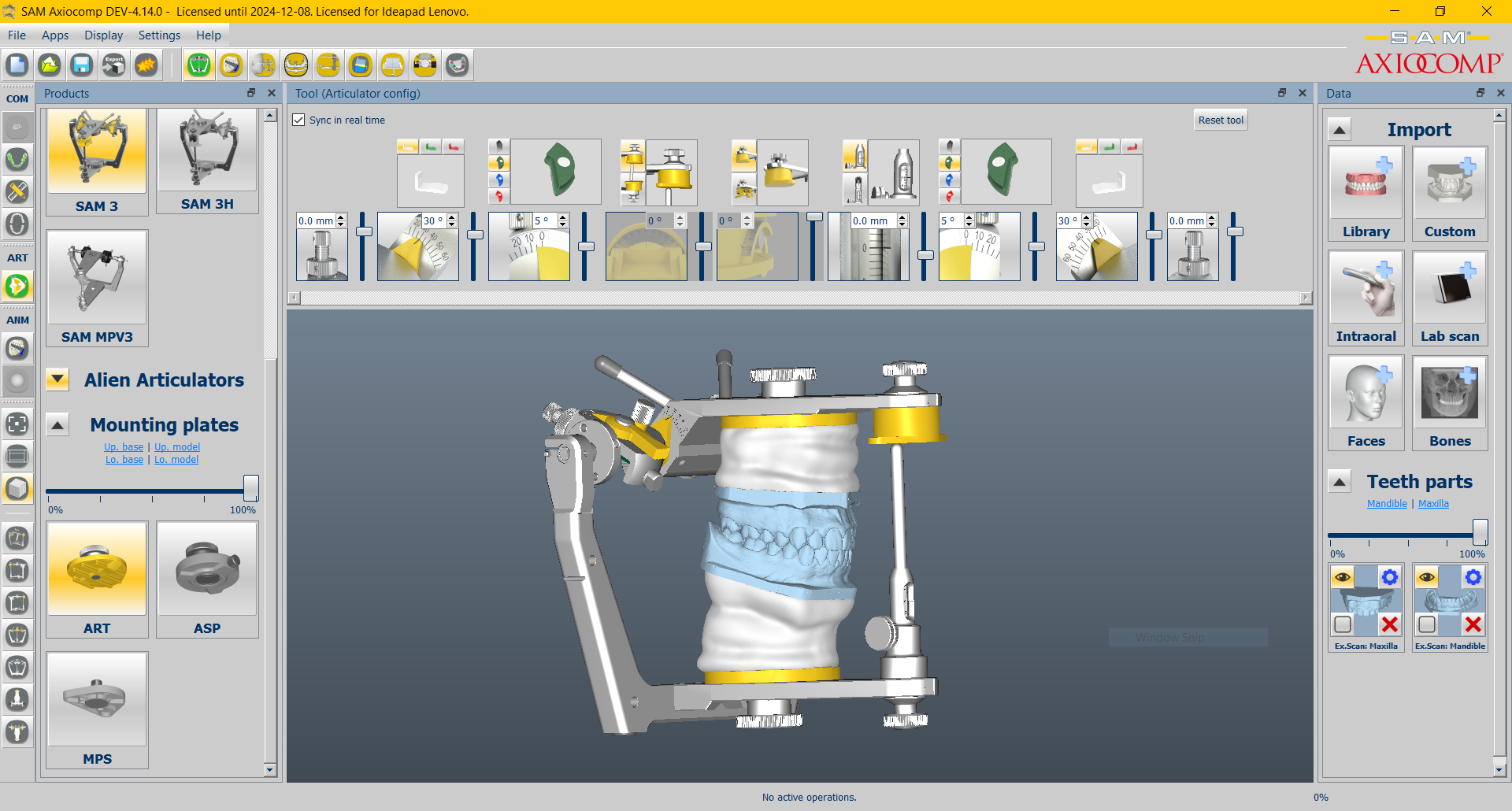
Select a SAM articulator, e.g., SAM 3

01

SAM … SE, NEO, 2P, 2PX, 3, 3H, MPV

In the selection, you can choose which articulator from the SAM range you would like to use for your digital work.Depending on the model, the digital articulator is either partially or fully adjustable.

02

Programming

Set values: Bennett, joint path, anterior guidance,…

02

The Bennett angle, joint plane inclination, protrusion distance, and anterior canine guidance can be adjusted individually.It is possible to program the digital articulator with a patient case.

The Arcon principle in the SAM articulator allows for an authentic simulation of the patient’s temporomandibular joint movements. In this system, the condylar ball is located on the lower part of the articulator and moves within the condylar housing of the upper part.

03

Importing external files

Consolidate all data from various systems
e.g., Real Movement, IOS, LabScan, etc.

03

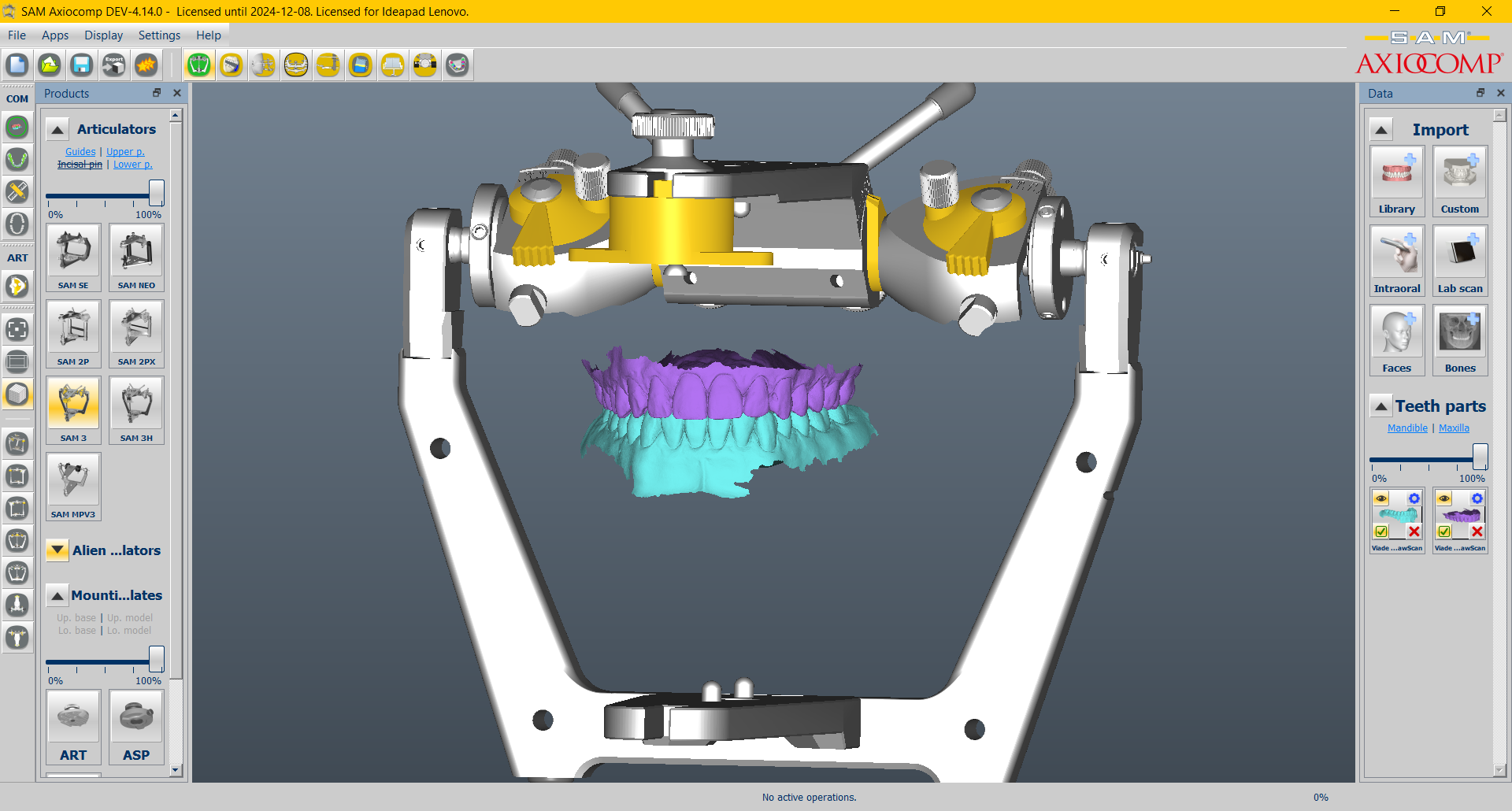
Since there is a large amount of data types, we give you the option to import and use almost all of it.

01

Select

Select a SAM articulator, e.g., SAM 3

02

Programming

Set values: Bennett, joint path, anterior guidance,…

03

Importing external files

Consolidate all data from various systems
e.g., Real Movement, IOS, LabScan, etc.

01

SAM … SE, NEO, 2P, 2PX, 3, 3H, MPV

In the selection, you can choose which articulator from the SAM range you would like to use for your digital work.Depending on the model, the digital articulator is either partially or fully adjustable.

02

The Bennett angle, joint plane inclination, protrusion distance, and anterior canine guidance can be adjusted individually.It is possible to program the digital articulator with a patient case.

The Arcon principle in the SAM articulator allows for an authentic simulation of the patient’s temporomandibular joint movements. In this system, the condylar ball is located on the lower part of the articulator and moves within the condylar housing of the upper part.

03

Since there is a large amount of data types, we give you the option to import and use almost all of it.

04

Simulate

The patient case can be simulated in the articulator using the entered data

04

Simulate the movements of the temporomandibular joint using the various settings and closely observe how individual parameters affect the occlusion.

05

Export

Merged cases can be saved and exported

05

Save and archive your settings and cases for future analysis. This allows you to repeat, load, and review them later. You can also export your files in STL format and use them with other programs.

06

Special devices

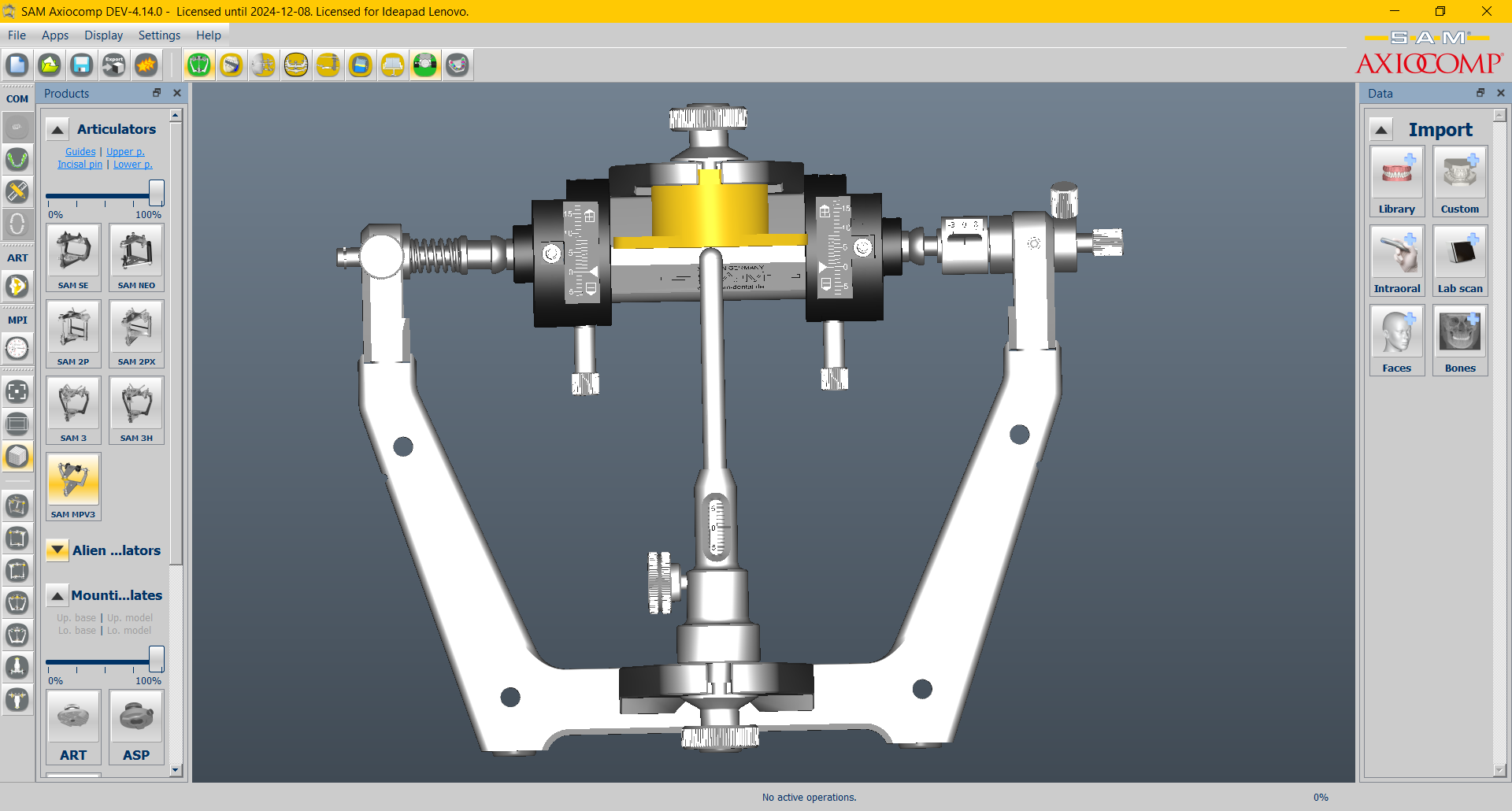
In special cases, SAM's specialized equipment can be loaded and used to its full extent

06

When others reach their limits, that’s when we’re just getting started.

Specialized devices are a specialty of SAM and were developed for complex and difficult cases.

This way, you can gain some initial experience with digital technology. This makes it easier to use the analog instruments.

04

Simulate

The patient case can be simulated in the articulator using the entered data

05

Export

Merged cases can be saved and exported

06

Special devices

In special cases, SAM's specialized equipment can be loaded and used to its full extent

04

Simulate the movements of the temporomandibular joint using the various settings and closely observe how individual parameters affect the occlusion.

05

Save and archive your settings and cases for future analysis. This allows you to repeat, load, and review them later. You can also export your files in STL format and use them with other programs.

06

When others reach their limits, that’s when we’re just getting started.

Specialized devices are a specialty of SAM and were developed for complex and difficult cases.

This way, you can gain some initial experience with digital technology. This makes it easier to use the analog instruments.

Discover your possibilities

Get the Basic version free

Download

Expand to the Research Kit version

Import Your own cases or scans and use them in conjunction with the SAM articulator, the various animation options, the mandibular position variator, the occlusal plane indicator, etc.
For personal study and research purposes only.

… and if that’s still not enough, …

Expand your software with our Add-ons and customize them to suit your preferences and
needs.

Info:
info@sam-dental.de

Entdecken Sie Ihre Möglichkeiten

Get the Basic version now free

Free Download

Expand to the Research Kit version

Laden Sie Ihre eigene Fälle und Scans und sie mit dem Artikulator, der Animationsfunktion, dem Unterkiefer-Positionsvariator und dem Okklusionsebenenanzeiger verwenden Nur für Forschungszwecke.

… and if that’s not enough,

Customize the software to suit your preferences and needs with our Add-ons together.

Info:
info@smart-dental.de

The basic version

Get the free basic version now and get started right away. Select your articulator, import the model pair from the library, and explore the wide range of settings.
Special devices

For special cases, such as mandibular repositioning. Learn digitally and apply analogously. Efficiently and precisely.
Model Library

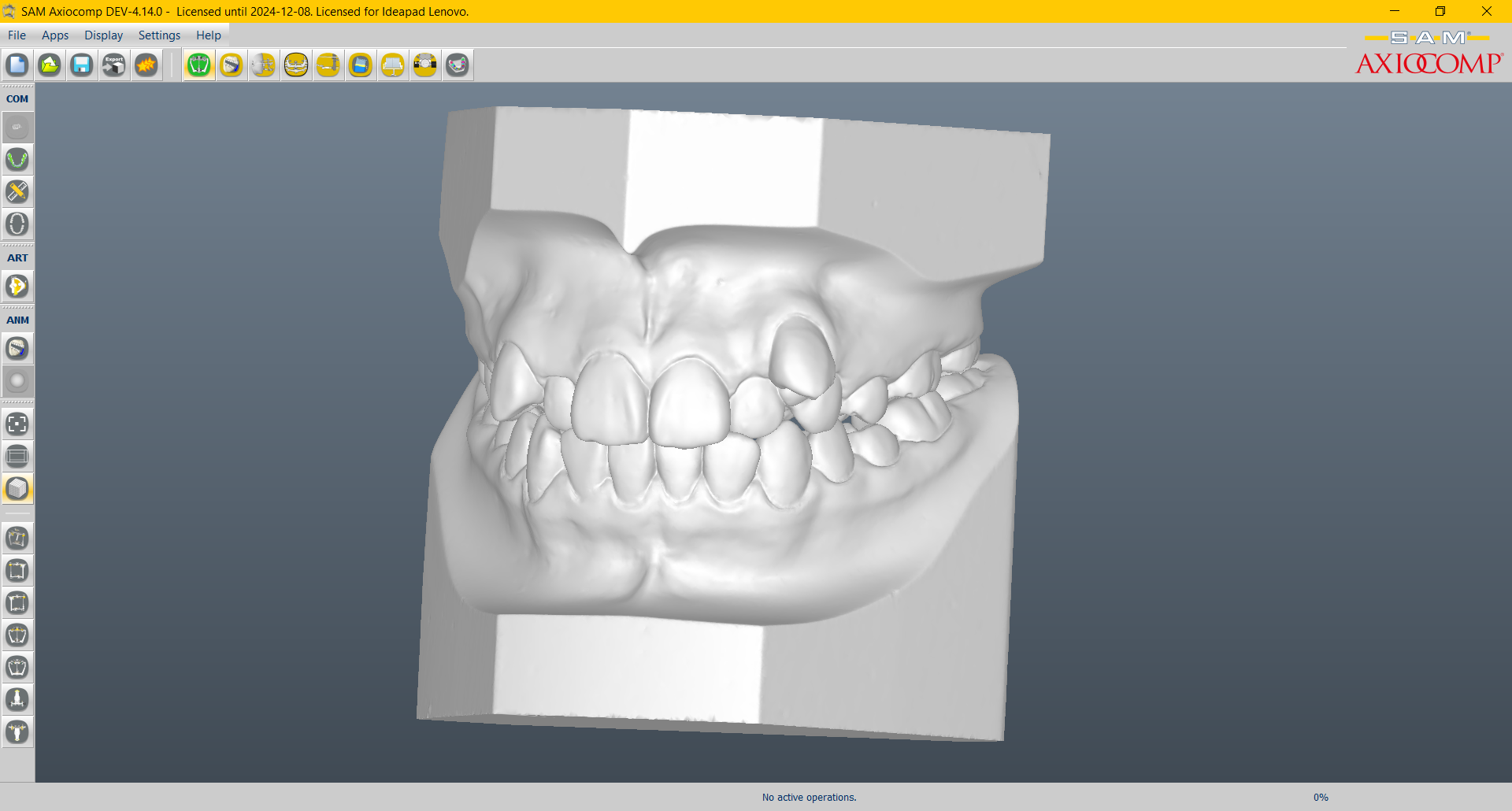
A wide variety of interesting cases are available for exploring new possibilities. The cases range from dental models to orthodontic cases by the renowned Dr. Shirasu.
Import

Data (STL, PLY, OBJ) captured from external sources can be imported.
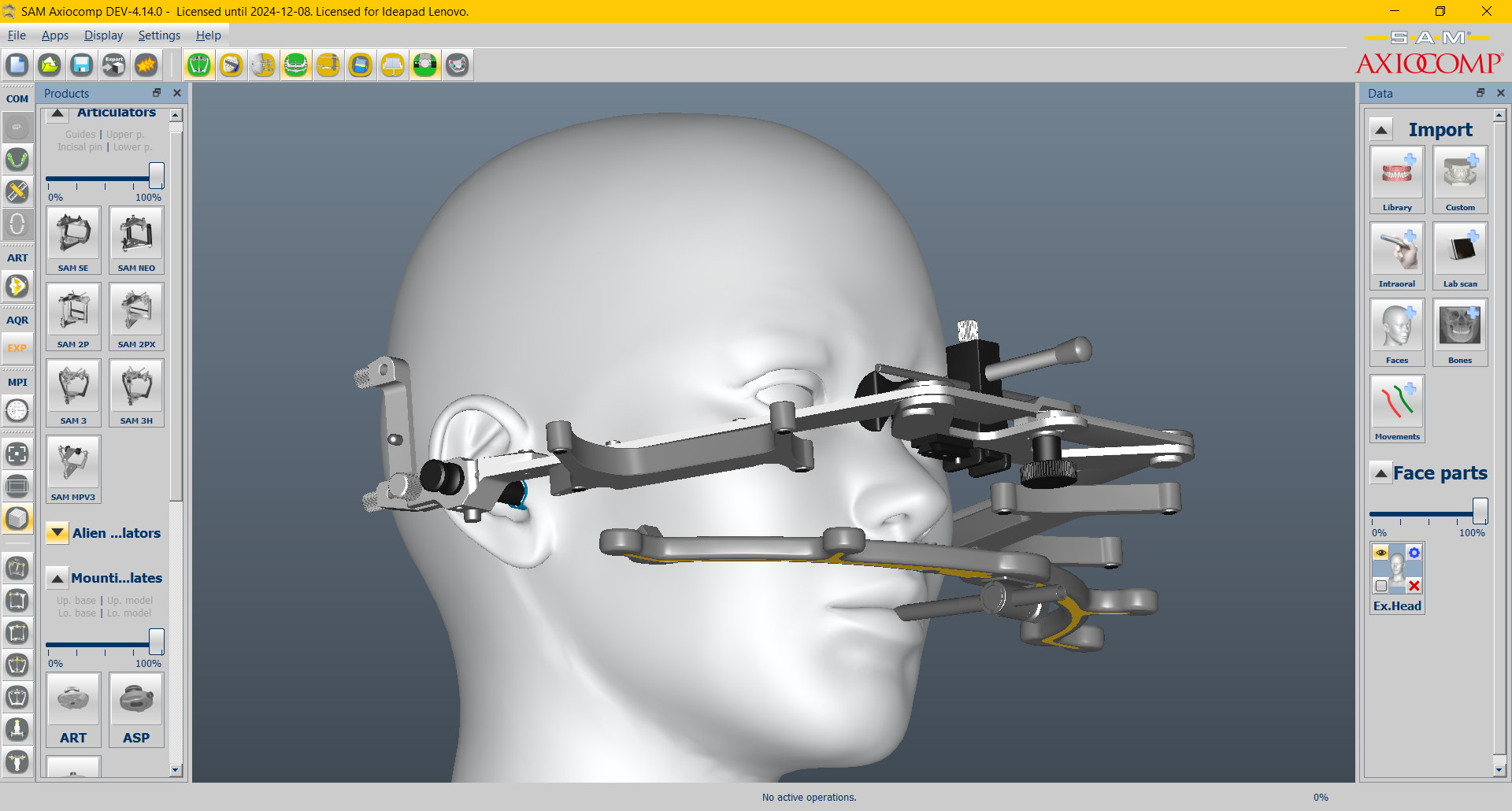
Real Movement

Transition from a mechanical hinge axis to real patient movements. Models can be simulated and analyzed using an articulator or based on recorded data.
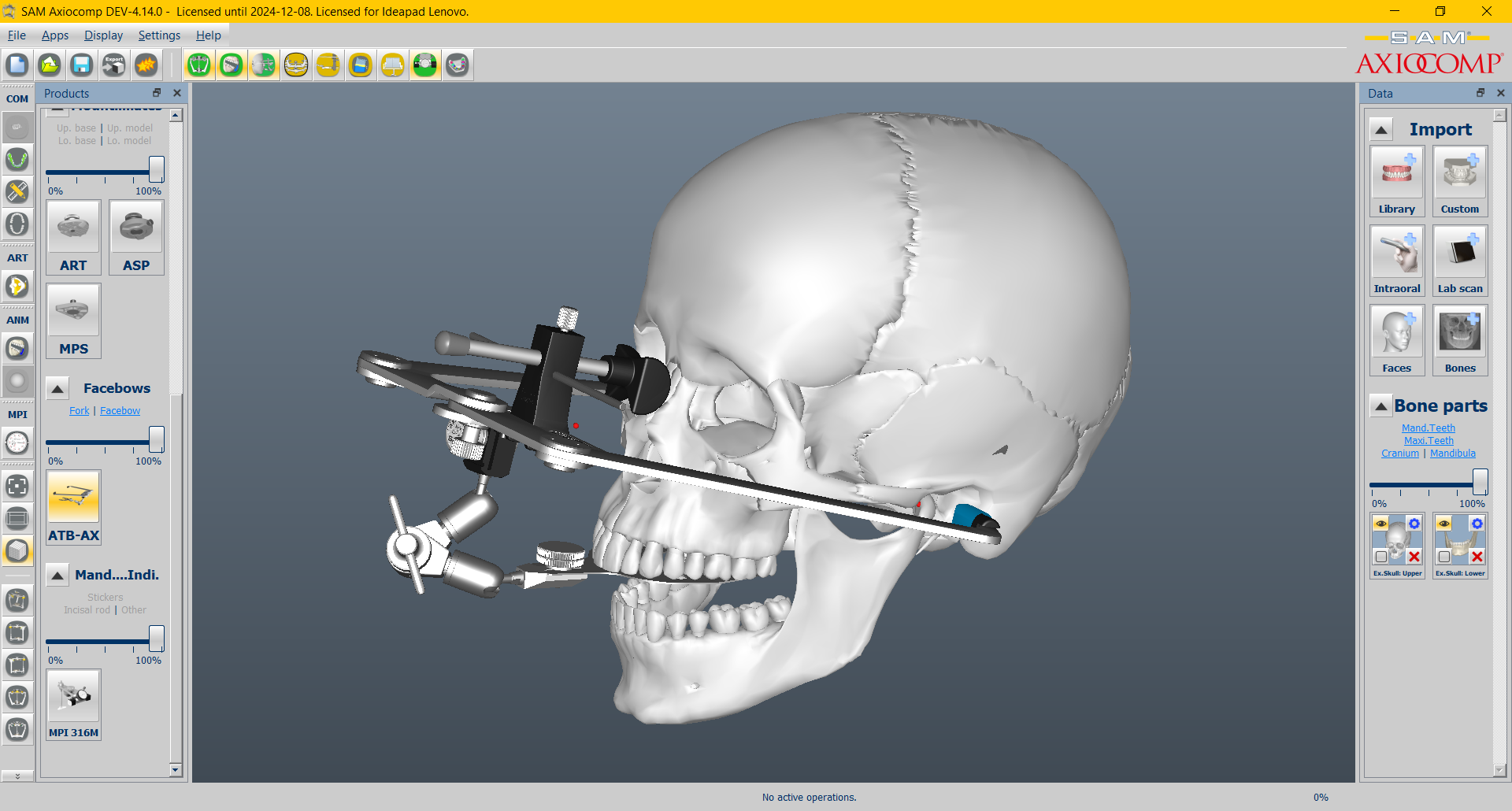
SAM Equipment

Discover the full range of SAM Precision Technology. It makes the complicated simple.